Scanning & Digitization

Digitization of Photographs / Negatives / Transparency

Digitizing photographic negatives with the right approach, skill, and scanning resolution.

The digitizing of photographic negatives demands a different approach to the digitizing of photographic prints. Whereas a print is a finished work, a negative is an unfinished one.

Service Overview

Specialized Digitization for Photographic Negatives

Digitizing a photographic negative requires as much skill in interpreting the negative as there has always been in photographic printing. To scan photographic negatives, a special scanner with very good optical resolution is required.

Digitizing negatives can be done for various purposes, such as archival use or reproducing images in print form from the same size to a larger size. The purpose of digitization determines the actual scanning resolution of artefacts.

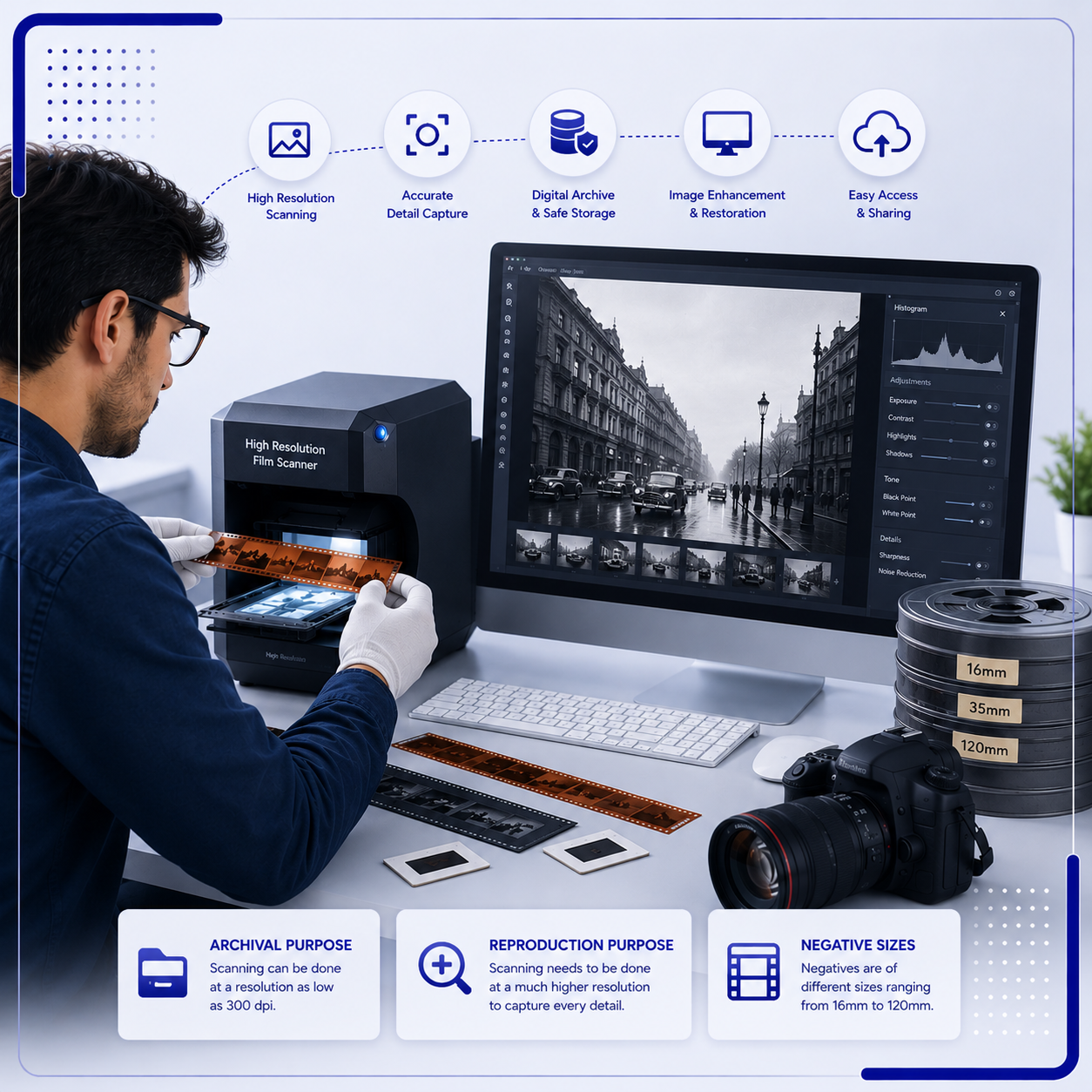
  • Archival Purpose
    For archival purpose, scanning can be done at a resolution as low as 300 dpi.
  • Reproduction Purpose
    For reproduction purpose, scanning needs to be done at a much higher resolution to capture every detail of the image.
  • Negative Sizes
    Negatives are of different sizes ranging from 16mm to 120mm.

File Formats

Scanning Output in JPEG or TIFF Formats

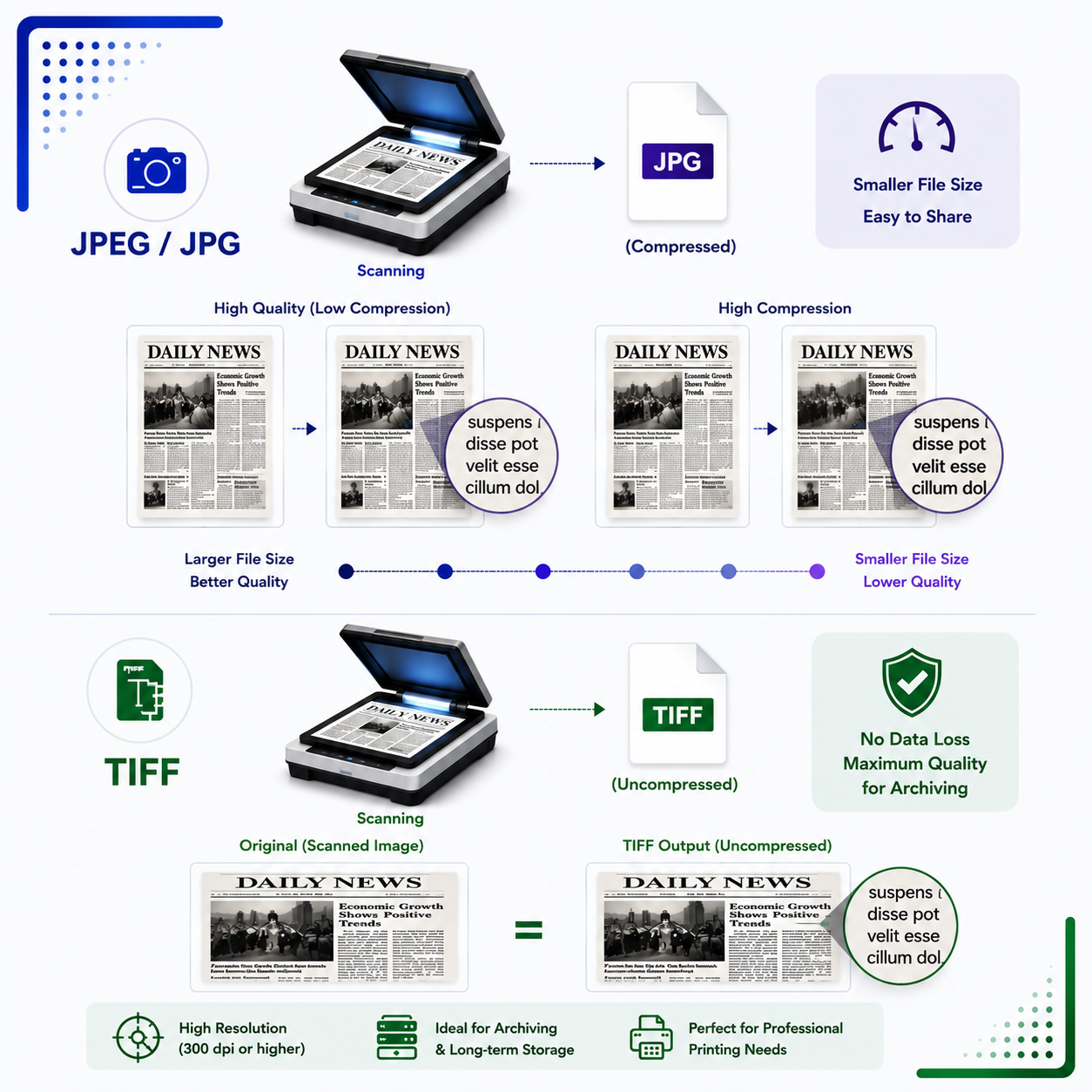
Scanning of negatives is done mainly in either JPEG or TIFF formats. The main difference between the two formats is mentioned below.

Digitizing negatives can be done for various purposes, such as archival use or reproducing images in print form from the same size to a larger size. The purpose of digitization determines the actual scanning resolution of artefacts.

JPEG / JPG

  • JPEG, sometimes referred to as JPG, is one of the most popular and compatible image formats. It is the standard file format of most consumer-quality digital cameras and is supported by almost all imaging software.
  • JPEG uses lossy compression, meaning some image data is lost when the file is compressed. The amount of compression can be varied. More compression discards more data and creates a smaller file.
  • JPEG is useful for creating smaller file sizes for uploading on the Internet or for use with email. Maximum quality JPEG compression settings are used to provide high-quality images.For archival purpose, scanning can be done at a resolution as low as 300 dpi.

TIFF

  • TIFF format is the standard for most commercial and professional printing needs. Uncompressed TIFF format is used, meaning no image data is lost after scanning.
  • TIFF is a suitable choice for archiving images when all detail must be preserved and file size is not a consideration. TIFF files are very large compared to JPEG files because no compression is used.

Trusted By

Some of Our Esteemed Clients

Our photograph, negative, and transparency digitization services support archives, museums, libraries, photographers, publishers, institutions, and organizations that need to preserve visual records in high-quality digital formats such as JPEG and TIFF.

Logo Strip Logo Strip

Proudly supported by industry-leading technology partners.